
Most workflow problems are not caused by lazy teams or poor planning. They happen when a rigid process meets a situation it was never designed for. Dynamic workflows and Zoho Creator fix that by building intelligence into the process itself.
Key Takeaways:
- Dynamic workflows route tasks based on real-time conditions such as value, urgency, or department, rather than forcing every request through the same fixed steps.
- Compared to static workflows, dynamic workflows reduce bottlenecks, speed up approvals, and handle process variations without requiring separate workflows for every scenario.
- Zoho Creator dynamic workflow tools give teams the tools to build, test, and scale dynamic workflows without needing a full development team.
Have you been in a similar situation?
An office supply order and a vendor contract both end up in the same approval queue, moving through the same four steps, waiting on the same people. One of them takes three days to clear when it should take three hours. The other clears just as fast when it probably should not.
This is what happens when a business relies on workflows that were built for convenience rather than context. Most teams inherit these rigid, one-size-fits-all processes and live with their limitations, assuming that is just how things work.
Dynamic workflows offer a different approach.
Discover what dynamic workflows are, and how Zoho Creator workflow automation tools harness intelligent, automated logic.
What is a Dynamic Workflow?
A dynamic workflow is a process that evaluates conditions at each step and adjusts its path based on the results. Instead of moving every task through the same fixed sequence of steps, it reads the attributes of each request, such as the request type, value, urgency, or department, and routes it accordingly.
The result is a process that fits the situation rather than one that forces the situation to fit the process.
A simple example makes this concrete. Consider a leave request system. In a basic setup, every request goes to the same HR coordinator, then the department head, then back to HR for processing. It does not matter whether the employee is asking for one day off or three weeks. The process is the same either way.
In a dynamic workflow, a one-day leave request might go straight to the direct manager for approval, skipping HR entirely. A two-week request routes through the manager, then HR, and then triggers a resource reassignment task for the team lead. The workflow adjusts based on the duration, type of leave, and team size. Same process, different paths, each one calibrated to what the situation actually calls for.
Static vs. Dynamic Workflows: What Is the Difference?
To understand why dynamic workflows matter, it helps to be clear about what static workflows are and where they fall short. Static workflows follow a predetermined sequence of steps that never change, regardless of the input. They are straightforward to build and easy to understand, which is why most teams start with them.
Static workflows work well for simple, repetitive tasks where the process genuinely never needs to change.
The problem shows up when the business grows, and processes become more complex. More conditions emerge, more exceptions need to be handled, and the static workflow starts requiring constant manual intervention to manage what it cannot handle automatically. Teams compensate by building separate workflows for every variation, creating a maintenance burden that outpaces the business’s ability to keep up.
Here’s how static and dynamic workflows compare across dimensions:
| Criteria | Static Workflow | Dynamic Workflow |
| Routing Logic | Fixed path for every request | Conditional routing based on task attributes |
| Approval Chains | Uniform steps regardless of value or risk | Tiered approvals based on value, type, or priority |
| Handling Exceptions | Manual intervention required | Automated escalation and reassignment rules |
| Process Variations | A separate workflow is needed per variation | One workflow handles multiple scenarios |
| Scalability | Becomes harder to maintain as needs grow | Adapts without requiring constant rebuilds |
| Best For | Simple, repetitive tasks with no variation | Complex processes where conditions regularly change |
The takeaway here is not that static workflows are bad. For a task like sending a weekly report or logging daily attendance, a static workflow is perfectly appropriate. The issue is applying static logic to processes that have real variation, which is where the friction starts to build.
Choosing the Right Tool
A dynamic workflow is only as good as the thinking behind it. The tools available today make it relatively easy to build one, but building one that actually holds up in production requires a clear approach.
For organizations looking for a capable, accessible option, Zoho Creator is among the strongest available in the low-code space. It has all the must-have features in a process management tool you could possibly ask for.

What is Zoho Creator?
Zoho Creator is a workflow automation platform that lets businesses build custom apps, automate workflows, and connect data across systems without a full development team. It gives both technical and non-technical users the tools to design forms, set up multi-step processes, configure approval chains, and integrate with other Zoho apps or third-party platforms through Zoho Flow.
Zoho Creator Features and Workflow Automation Capabilities
What can Zoho Creator do for you? Below are reasons to choose Zoho Creator for creating dynamic workflows:
1. Visual Workflow Builder
Zoho Creator’s drag-and-drop workflow builder lets users design multi-step processes without writing a single line of code. You can map out approval stages, decision points, and automated actions through a visual interface that makes the logic easy to follow and adjust.
2. Conditional Logic and Branching
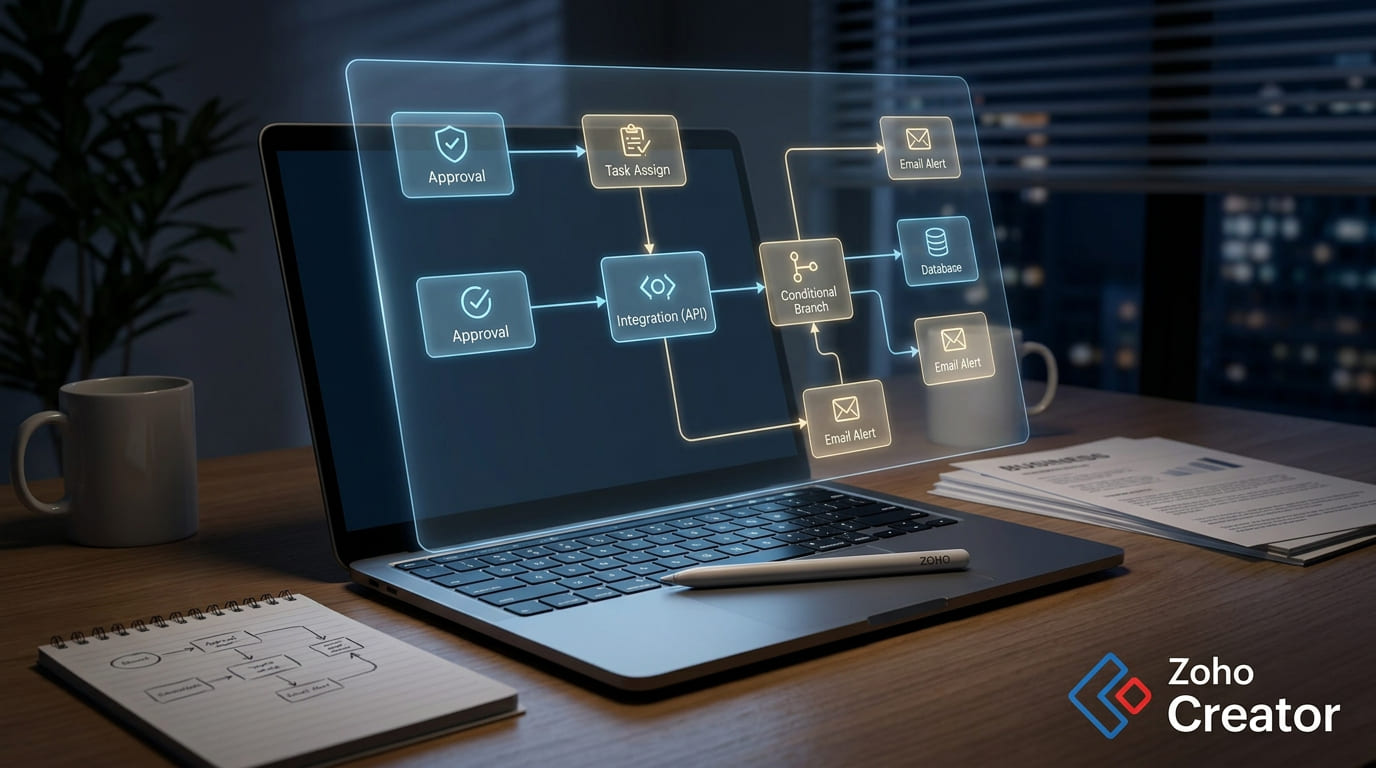
At the heart of Zoho Creator’s workflow automation is its conditional logic engine. Users can define if-then rules that evaluate task attributes at each step and route requests along different paths based on what they find.
3. Dynamic Forms
Zoho Creator allows forms to respond to user input in real time. Fields can appear, be hidden, become mandatory, or be pre-populated based on what a user selects or enters earlier in the form. This keeps forms clean and relevant for each user while ensuring the right data is captured for every scenario.
4. Multi-Step Approval Workflows
Zoho Creator supports tiered, multi-step approval chains that can be configured to match the complexity of any business process. Approvers can be assigned based on role, department, request value, or any other attribute stored in your data. Each approver receives automated notifications, can approve or reject from email or mobile, and the workflow moves forward or triggers an escalation path depending on the outcome of each decision.
5. Parallel Task Execution
When steps in a workflow are independent, Zoho Creator can run them simultaneously rather than sequentially. During employee onboarding, for example, equipment provisioning, system access setup, and HR documentation can all be triggered simultaneously rather than waiting for each step to complete before the next begins.
6. Zoho Flow Integration
Zoho Flow serves as the integration layer that connects Zoho Creator to third-party platforms, enabling workflows that span the tools your team already uses. Whether it is syncing data between Zoho CRM and an external ERP or triggering actions in Google Workspace when a form is submitted in Creator, Zoho Flow handles the connections that enable cross-platform automation.
Build Dynamic Workflows With Zoho Creator and Devtac
Dynamic workflows are not just a technical concept. They are how modern operations teams remove friction, reduce manual intervention, and handle complexity without adding headcount or building an entirely new process every time conditions change.
Zoho Creator workflow automation tools give businesses of all sizes a way to build that kind of process intelligence without a full development team. However, knowing how to create a workflow in Zoho Creator is not enough. You need to build one that reflects your actual business logic, handles edge cases correctly, and scales without breaking.
Working with a certified Zoho Creator partner makes a real difference. The platform provides the tools, but a knowledgeable partner brings process design expertise, implementation experience across different industries, and the ability to configure workflows built around how your business actually operates rather than generic templates.
Devtac is a Zoho Premium Partner in the Philippines and an experienced business solutions provider that can implement Zoho Creator for your team. Whether you are building your first dynamic workflow Zoho Creator setup or looking to overhaul a process that has outgrown its current design, Devtac can help you get there.
Contact us to start building processes that can keep up with your operations.

Frequently Asked Questions (FAQs) About Dynamic Workflows and Zoho Creator
1. Do I need coding experience to build a dynamic workflow in Zoho Creator?
No. Zoho Creator is a low-code platform designed for business users and developers alike. Most workflow logic, including conditional routing, approval chains, and escalation rules, can be configured through a visual interface without writing code.
For more complex requirements, such as custom integrations or advanced data lookups, Devtac can handle that side of things as part of implementation.
2. Can dynamic workflows in Zoho Creator connect to tools we use outside of Zoho?
Yes. Zoho Creator supports API connections and integrates with external platforms via Zoho Flow, which manages connections between Zoho apps and third-party tools. This means a workflow built in Zoho Creator can trigger actions in tools like Slack, Google Workspace, Microsoft 365, or other business systems your team already uses.
3. How is a dynamic workflow different from a simple automation rule?
A simple automation rule typically performs a single action when a specific condition is met, such as sending a notification when a form is submitted or assigning a ticket to a specific agent. A dynamic workflow is a broader, multi-step process that evaluates conditions at each stage and adjusts its path accordingly.