
Paperless Document Signing Made Easy with Zoho Sign
Zoho Sign offers a trusted, compliant, and user-friendly digital signature online solution, ensuring instant, swift and secure document approvals. Devtac expertly integrates Zoho Sign into your existing business processes, enhancing productivity, reducing paperwork, and accelerating your digital transformation journey seamlessly.
Sign, Paperless.
Simplify Your Document Workflow Effortlessly with Zoho Sign
Businesses often struggle with complex document creation processes, with problems like formatting inconsistencies, prolonged approval cycles, and inefficient manual signatures. Zoho Sign, a powerful electronic signature app, solves these challenges by providing intuitive templates, standardized workflows, and instant, secure approvals.
Designed with user-friendliness in mind, Zoho Sign reduces document errors, accelerates approval times, and significantly streamlines your paperwork processes. By simplifying document management and integration, Zoho Sign enables businesses to focus more on growth and less on administrative burdens, ultimately boosting overall operational efficiency.
Zoho Sign Features
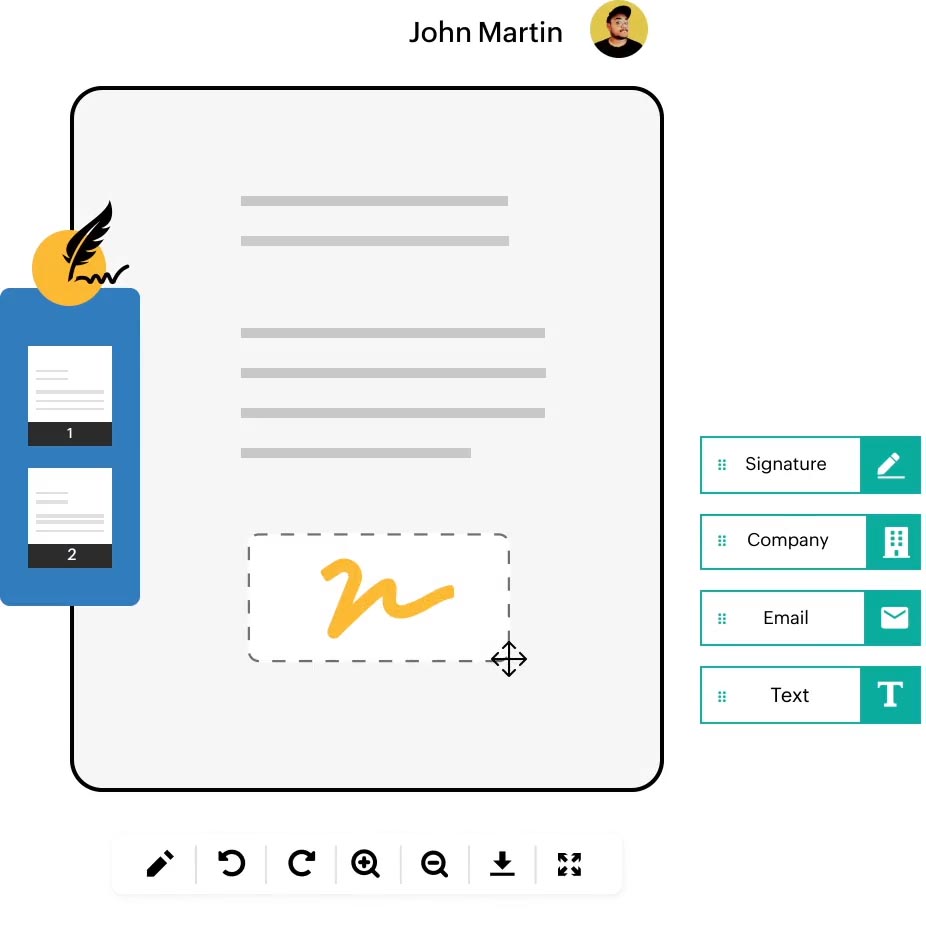
Zoho Sign enables businesses to securely sign, send, and manage documents online. This document signer streamlines approvals, enhances collaboration, and ensures efficient, paperless operations from any device.
Legally Compliant Digital Signatures
Zoho Sign ensures that all digital signatures are legally binding, adhering to global regulations like ESIGN, eIDAS, and ITA-2000. This compliance guarantees that your documents are recognized and enforceable across different jurisdictions.
Reusable Templates
Create and save document templates for frequently used forms, such as NDAs or sales contracts. This digital signature solution streamlines the document creation process, saving time and reducing errors.
Bulk Send
Send documents to multiple recipients simultaneously with just a few clicks. Ideal for mass agreements or policy updates, this feature enhances efficiency in document distribution.
Multiple Signature Options
The e signature app provides flexibility for signers, allowing them to type, draw, or upload their signatures. This ensures a user-friendly experience and accommodates various signer preferences.
Mobile App Accessibility
Access and manage your documents on the go with Zoho Sign’s mobile applications, available for both iOS and Android devices. This mobility ensures that you can handle document signing anytime, anywhere.
Workflow Automation
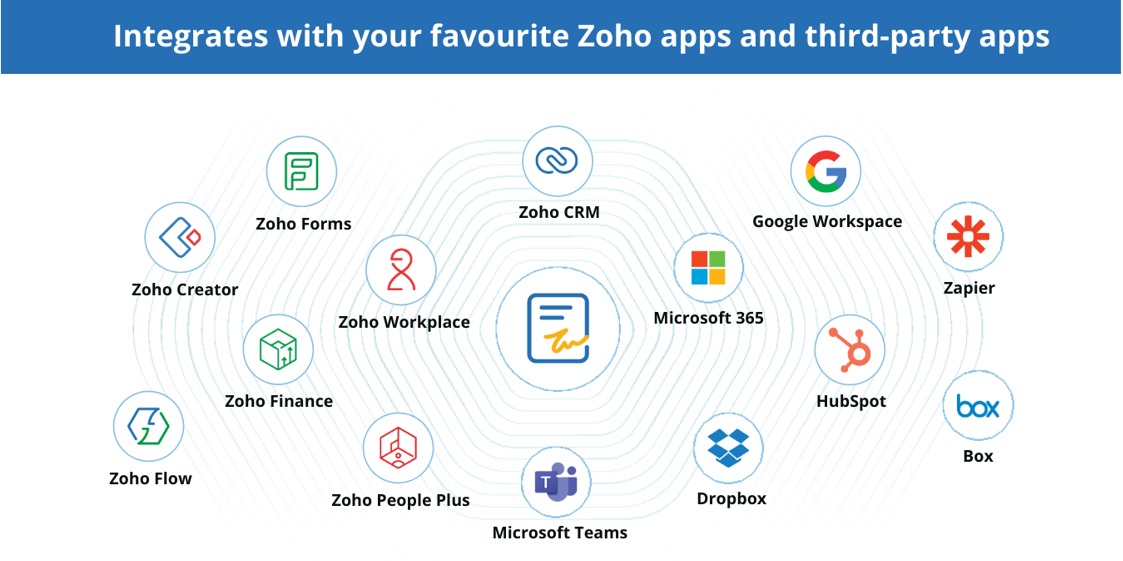
Automate your document workflows by integrating Zoho Sign with other Zoho apps and third-party services. This automation reduces manual tasks and accelerates the signing process.
Real-Time Audit Trails
Maintain transparency and security with detailed audit trails that track every action taken on a document. This feature is crucial for compliance and record-keeping purposes.
Automatic Field Detection
Leverage AI-powered field detection to automatically identify and assign signature fields in your documents. This intelligent feature speeds up the preparation of documents for signing.
Embedded Signing
Integrate Zoho Sign’s signing capabilities directly into your website or application, providing a seamless signing experience for your users without redirecting them to external pages.
Payment Collection Integration
Combine document signing with payment collection by integrating this document signer solution with Zoho Checkout. This feature is particularly useful for contracts that require upfront payments.
Zoho Sign Benefits
Utilize this digital signature solution to save time and boost productivity—ensuring smoother document approvals across your business operations.

80% faster document turnaround time
Get documents signed in minutes or days, not weeks or months.

$30 saved per envelope
Cut the overall average costs spent on printing, scanning, and mailing documents.

50 hours saved on average per employee
Adopt digital signatures to save time and boost productivity. Automate repeated tasks.
Recognized by top-industry analysts and peer-to-peer review websites

Leader & Outperformer – GigaOm Radar Report for E-Signature Solutions 2023
Leader – IDC MarketScape Worldwide eSignature Software 2023
30,000+ Businesses Trust Zoho Sign
Frequently Asked Questions About Zoho Sign
What is Zoho Sign and how does it work?
Zoho Sign is an advanced electronic signature app that allows users to digitally sign documents online securely. It simplifies the signing process by enabling businesses and individuals to send, sign, and manage legally binding documents quickly and efficiently.
Using Zoho Sign, you can upload documents, add signers, set signature fields, and send them out for digital signatures online. Signers can easily complete these documents remotely from any device, improving productivity and efficiency.
Is Zoho Sign legally binding and secure?
Yes, Zoho Sign is legally binding and recognized globally. This digital signature solution complies with major electronic signature laws and regulations, including ESIGN (USA), eIDAS (Europe), and ITA-2000 (India).
Additionally, Zoho Sign employs robust security measures like encryption, detailed audit trails, and multi-factor authentication to ensure documents are secure and legally enforceable.
Can Zoho Sign integrate with other apps or business systems?
Absolutely! Zoho Sign integrates seamlessly with various Zoho apps like Zoho CRM, Zoho Docs, Zoho Writer, and third-party services such as Google Workspace, Microsoft Office 365, Dropbox, and more. This makes Zoho Sign a versatile document signer tool that can easily become part of your existing business processes, simplifying workflows and boosting productivity.
Why should I choose Devtac to integrate Zoho Sign into my business?
Choosing Devtac ensures expert assistance and a smooth integration of Zoho Sign into your business operations. Devtac specializes in Zoho solutions, providing tailored setup, comprehensive training, ongoing support, and customization to meet your specific business needs.
With Devtac, you maximize the full capabilities of the Zoho Sign e signature app, facilitating a smooth transition towards paperless, automated, and efficient document management processes.
How much does Zoho Sign cost?
Zoho Sign offers flexible pricing models to suit businesses of all sizes, including a free version for individuals or smaller operations. Pricing varies based on features, user count, and additional services. To get a detailed pricing plan of this digital signature online tailored to your business needs, contact Devtac directly.
What Our Clients Says
Zoho Sign